How do I book a property on Simply Owners?
- Guest Resources
- Guest Advice & FAQs
- How Do I Book A Property On Simply Owners?

First find the property you like.
Simply Owners is an advertising site and does not take bookings or payments. We put you in direct contact with the owner saving you booking fees.
To book direct with the owner first find the property you like on our site.
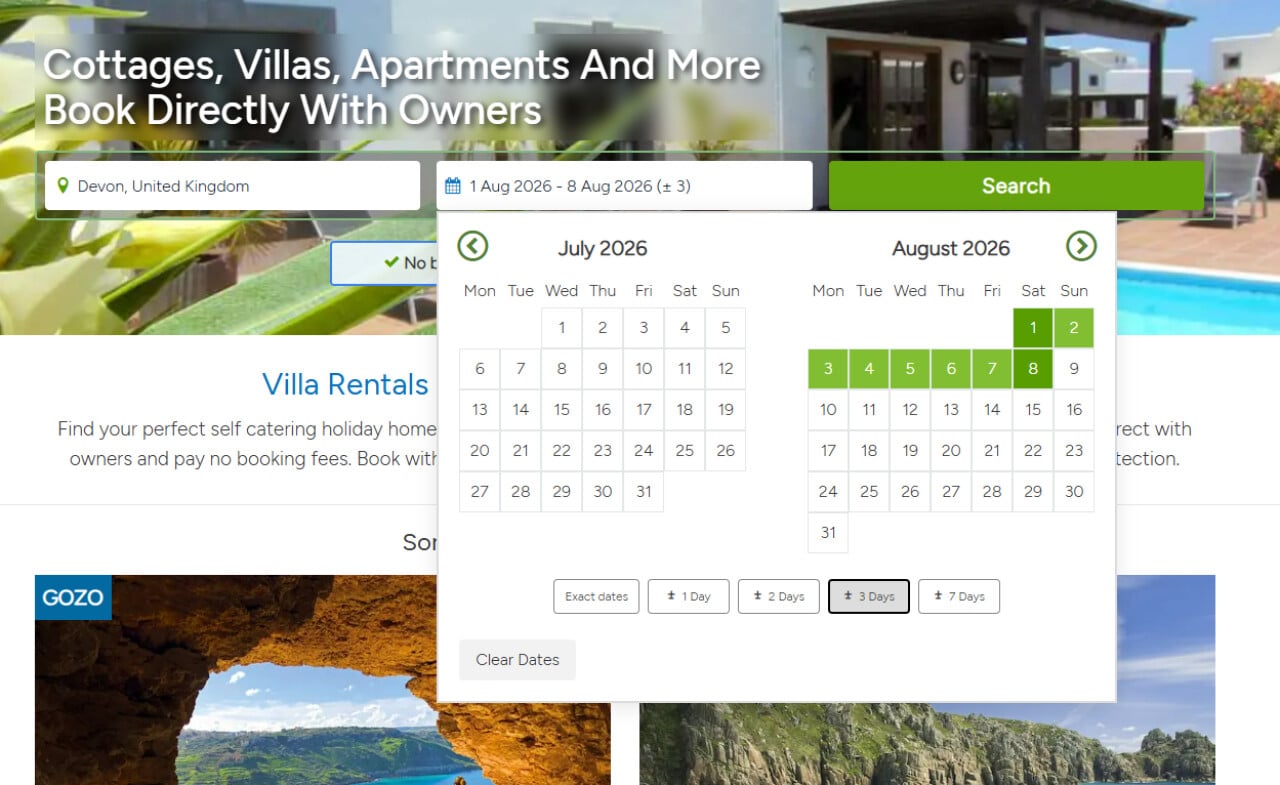
Enter your destination and dates in the search box, Click ‘Search’. You can enter flexibility of up to 7 days +/- if your dates aren't set in stone.
This will display the owners’ properties that match your criteria. Select a property that you like the look of and you think suits your needs.
Select a property that you like the look of and you think suits your needs.
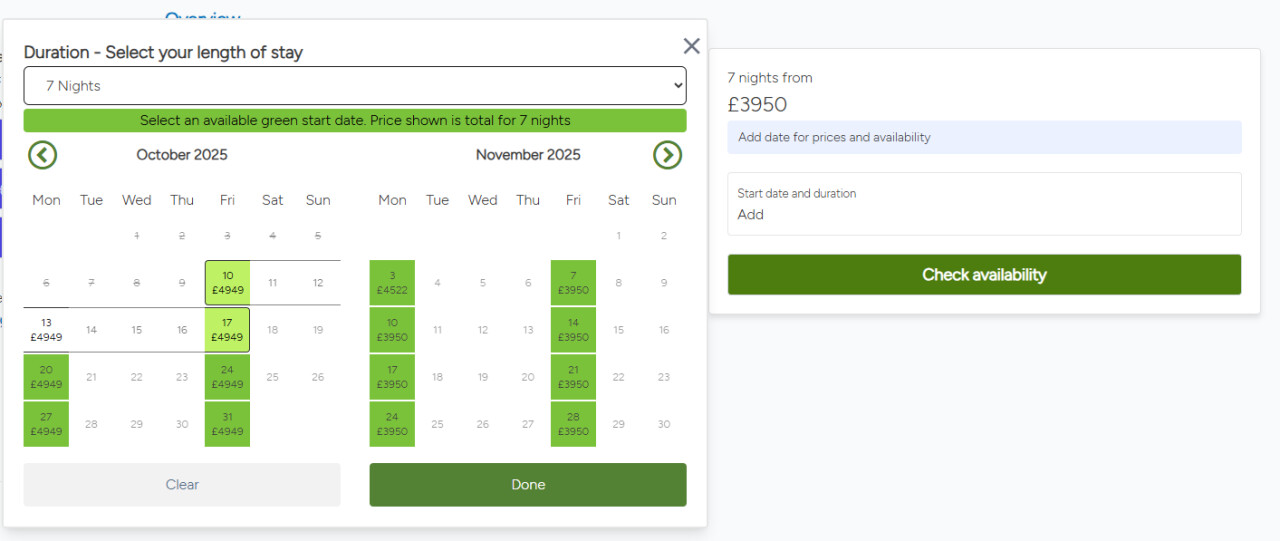
You can change the dates if you wish to, there's a handy guide with all prices showing.
Enquire with the owner
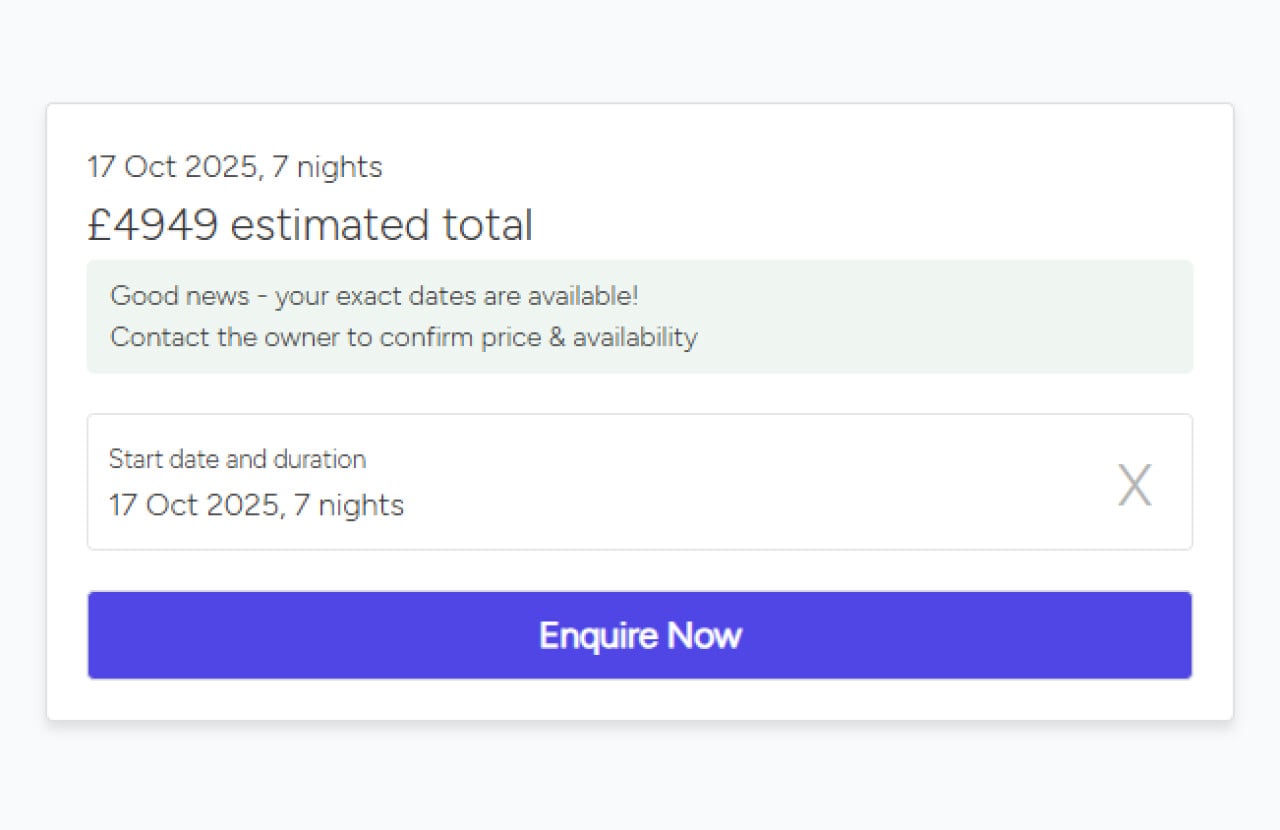
Click the enquire now button.
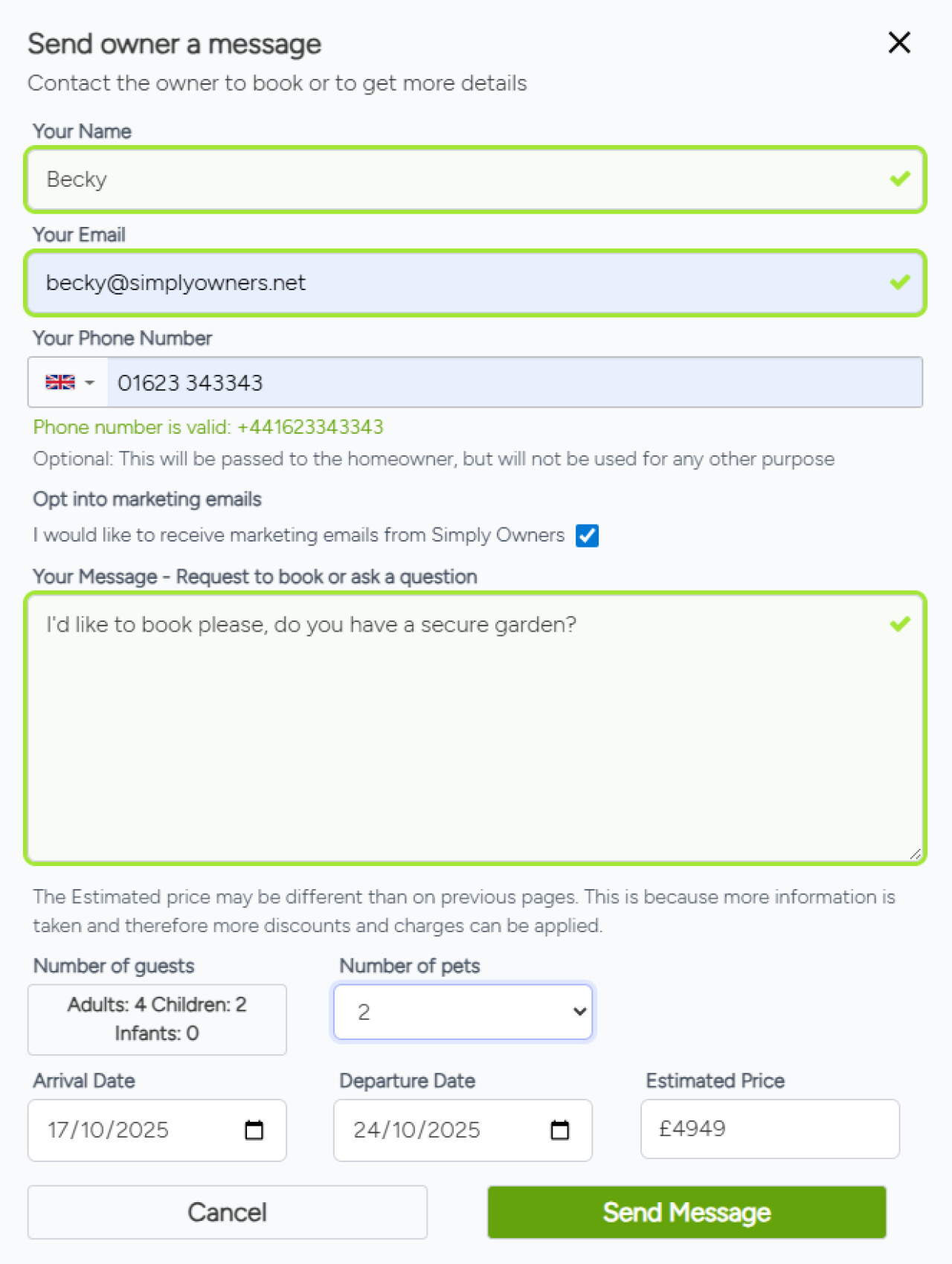
Fill out your details - the more details you give, the better the match
This will give you the estimated price for the exact number of people/dogs and any extras such as pool heating/air conditioning.
Click ‘Send message’ this will then send the message through to the owner who should respond within 48 hours. You book with them directly, avoiding booking fees.
If you haven't enquired via our system before you may need to verify your email address.
Click ‘Send message’ this will then send the message through to the owner who should respond within 48 hours. You book with them directly, avoiding booking fees.
If you haven't enquired via our system before you may need to verify your email address.