How to add a booking
- Owner Resources
- Owner's Console Guides
- How To Add A Booking

How to add a booking
How to add your bookings – please note Simply Owners do not take bookings or get involved in them in any way such as payment, cancellations etc.
You can add your bookings from your Airbnb, Booking,com, Sykes etc by following the steps below but you can also sync them automatically using Ical (see Ical linking)
Open the calendar tab
Scroll down to the bookings table.
Above the bookings chart you’ll see a button that says add your booking, on the left hand side.
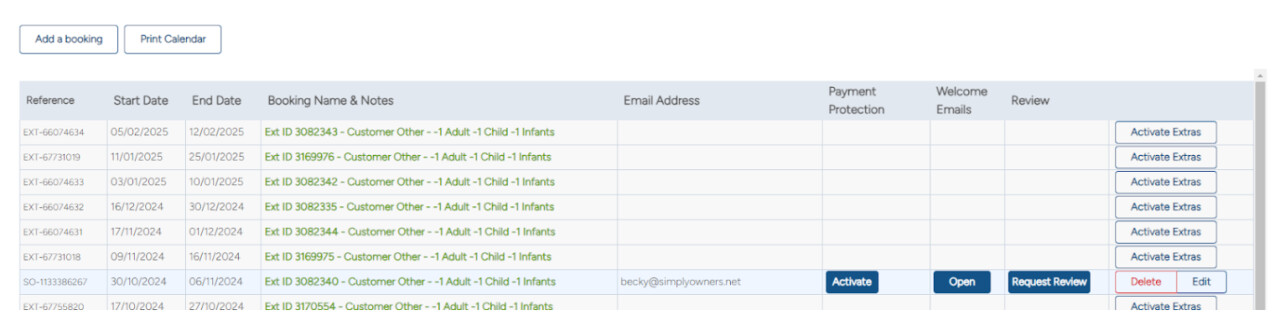
Click it and it will open up a pop-up screen
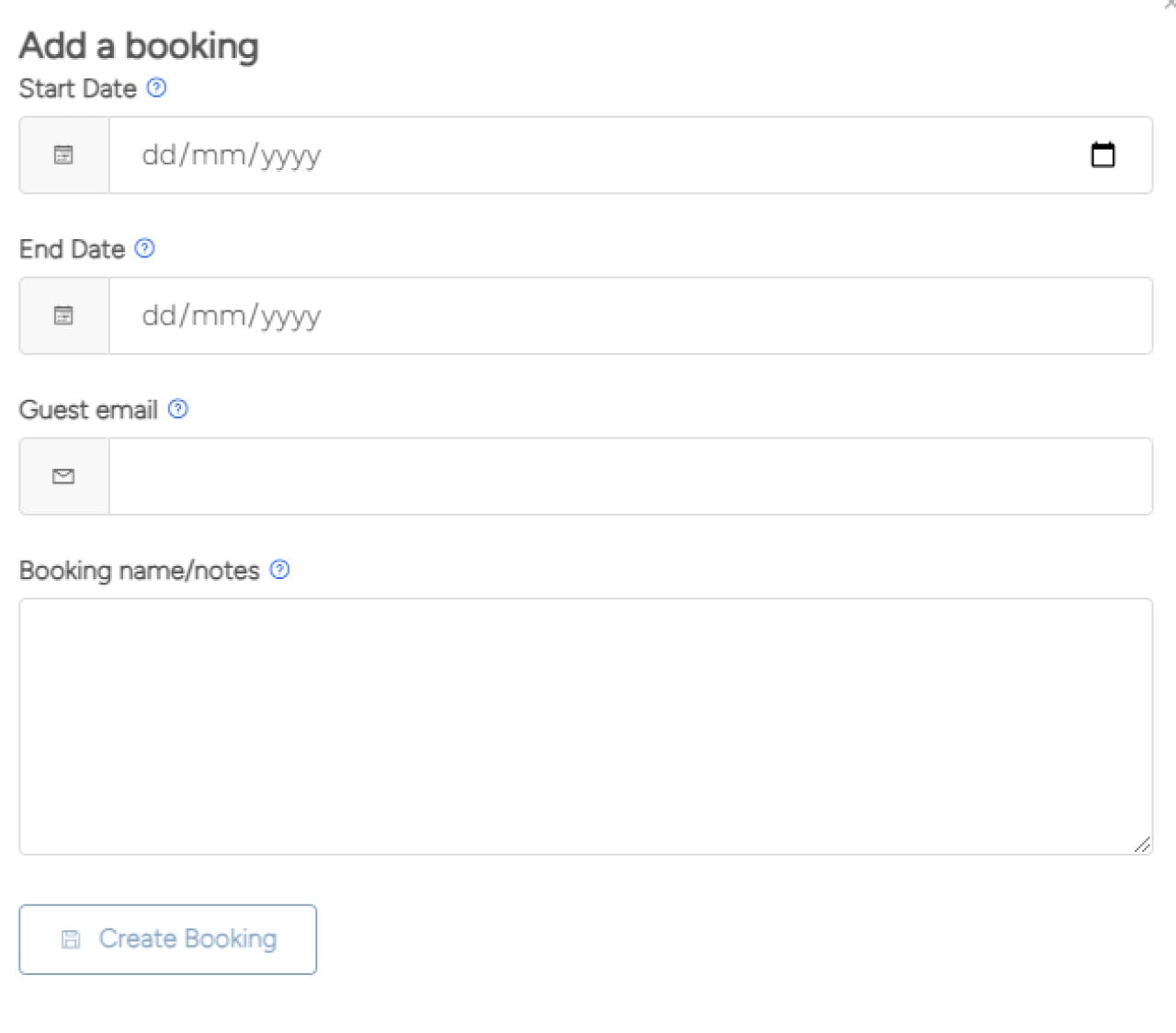
Please enter the information requested and click ‘Create booking’, this will then appear in your bookings table, in reverse date order (so that all future bookings are at the top of the page). You’ll also then see it appear as blocked in the calendar at the top of the page.