How to add a review
- Owner Resources
- Owner's Console Guides
- How To Add A Review

Adding reviews to your advert from elsewhere - Click on Reviews tab
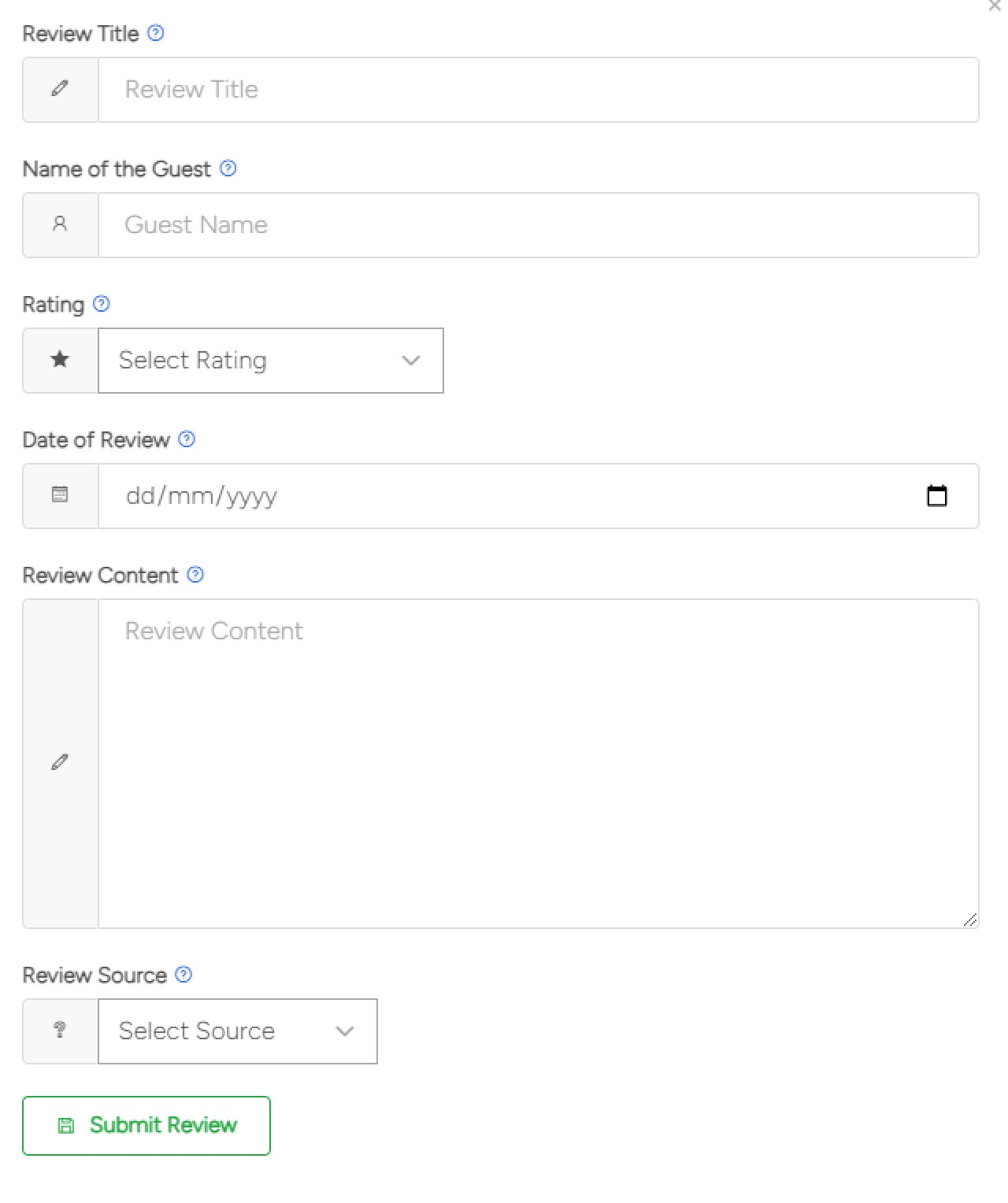
You can add your existing reviews here from other websites, we ask you to include full unedited review along with the date and rating ( if applicable ). We also ask you to supply the URL of the website the review is on so we can verify it.
By submitting your reviews here you give us your permission to display them
Type the title of the review.
Type the name of the guest.
Select the star rating.
Select the date of the review.
Copy and paste the review text.
Enter the URL where we can see the review to approve it. It’s important that this link doesn’t go to your logged in console, we can only view the review as a holidaymaker would.
If you're adding from your guestbook, please upload a photo of the review, this will not be visible to guests (it's only for Simply Owners to verify the advert content)
Click submit review.
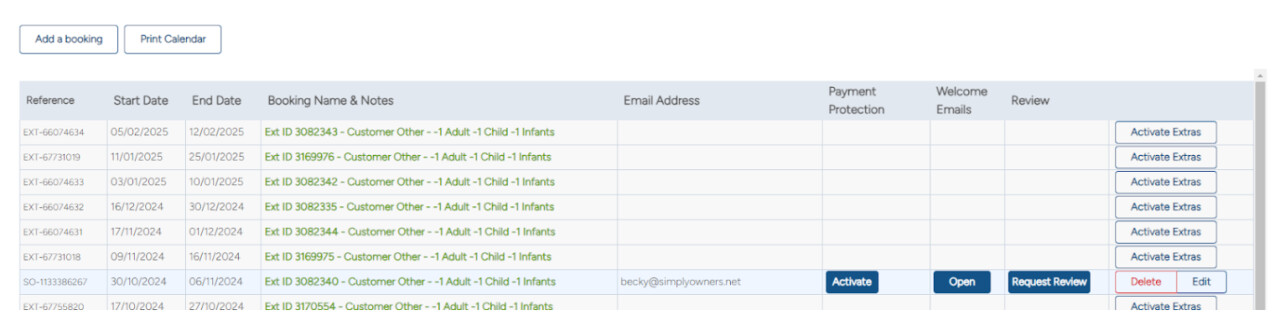
Send a review request from the button on your Calendar tab.
On the right hand side of the bookings table, next to the corresponding booking you should see a button which says Edit. If not, click activate extras and the edit button will be here.
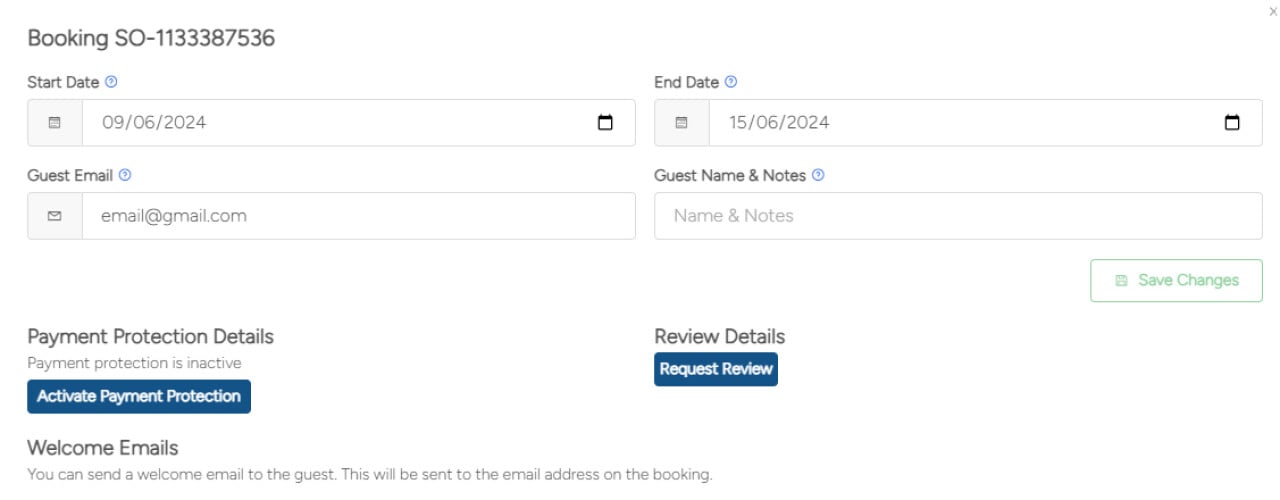
Click Edit and add in the customer email address.
Press save changes, it will then allow you to send a review request by clicking the ‘Request Review’ button.
Ask a guest to leave a review via your advert
Ask them to go to your advert
Scroll down to the ‘Leave review’ button.
Click this and leave a review