Custom Charge Guide
- Owner Resources
- Guides
- Custom Charge Guide

Custom Charge Location
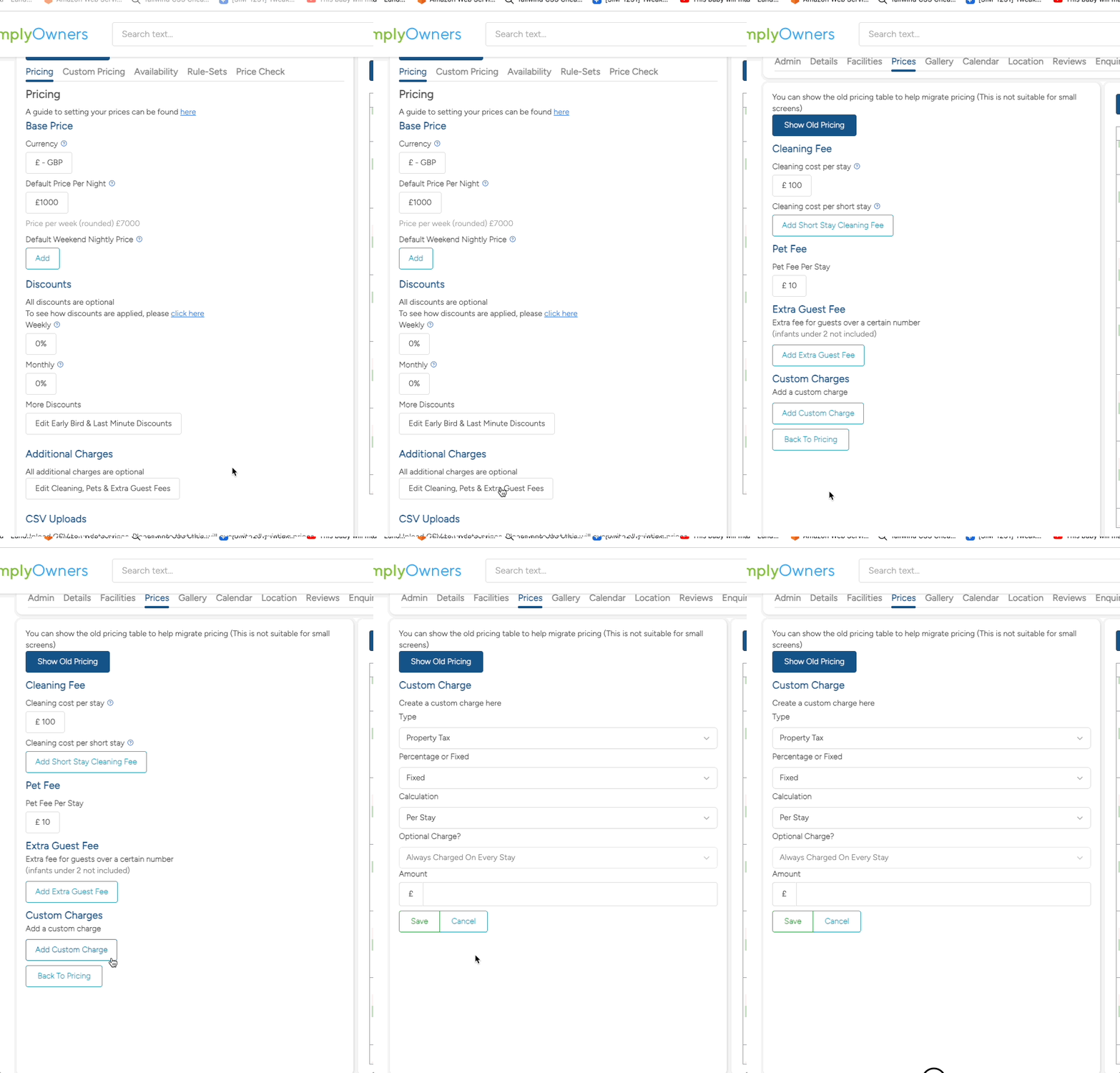
On the pricing tab of your property, scroll down to additional charges and click the button. Next scroll down and click the "Add Custom Charge Button".
Once you have opened the Custom Charge page you will see 5 options:
- Type
- Percentage Or Fixed
- Calculation
- Optional Charge?
- Amount
Type
The type is the name of the charge. There are a pre-determined number of types available. If there is a charge you would like to add that is not listed, please contact us.

Percentage Or Fixed
This option allows you to choose whether the charge is a percentage of the booking total or a fixed amount. If you select percentage, the amount will be calculated as a percentage of the booking total. If you select fixed, the amount will be added as a fixed charge. Percentage based charges calculate after discounts but before any other charges.

Calculation
There are four ways a fixed charge can be calculated:
- Per Stay - The charge will be added once for the entire booking.
- Per Night - The charge will be added for each night of the booking.
- Per Person Per Stay - The charge will be added for each person in the booking.
- Per Person Per Night - The charge will be added for each person in the booking per night.
Percentage based charges are always charged Per Stay.

Optional Charge?
This option allows you to choose whether the charge is optional or not. If you select "Optional - Guest Selectable", the charge will only be added to the booking if the guest chooses it. If you select "Always charged on every stay", the charge will be added to the booking and cannot be removed by the guest.

Amount
The amount you wish the charge to be.
